
Making Memories Last: The Ultimate Guide to Wedding Photo Organisation
You have spent months, perhaps even years, planning every detail of your wedding day. From the perfect colour palette to the bespoke menu, every element has been curated to reflect your personality as a couple. But when the dust settles and the confetti is swept away, what remains? The memories—and, more importantly, the photographs. While your professional photographer will capture the key moments, there is something uniquely special about the candid shots taken by your friends and family. However, organising thousands of photos scattered across different devices can feel like a mammoth task.
The Challenge of Post-Wedding Photo Chaos
In the age of smartphones, every guest at your wedding is effectively a roving photographer. By the end of the evening, you could potentially have hundreds, if not thousands, of photos sitting on dozens of different phones. In the past, this led to a fragmented collection of memories—a blurry photo here, a video message there—often lost to social media algorithms or forgotten in cloud storage backups.
The real challenge isn't just taking the photos; it is the centralisation. Without a unified system, your collection remains incomplete. You don't want to be chasing down your cousin for that one great photo of the dance floor three months after the wedding. Modern event technology can bridge this gap. By providing a dedicated space for guest uploads via simple QR codes, you ensure that every snapshot finds its way home to your digital library before the honeymoon even ends.
Step 1: Setting Up Your Digital Infrastructure
Before the wedding day arrives, you need to decide where those photos are going. Relying on WhatsApp groups is often a mistake—images lose quality through compression, and the chat history quickly becomes unmanageable. Instead, aim for a solution that offers a private, secure gallery.
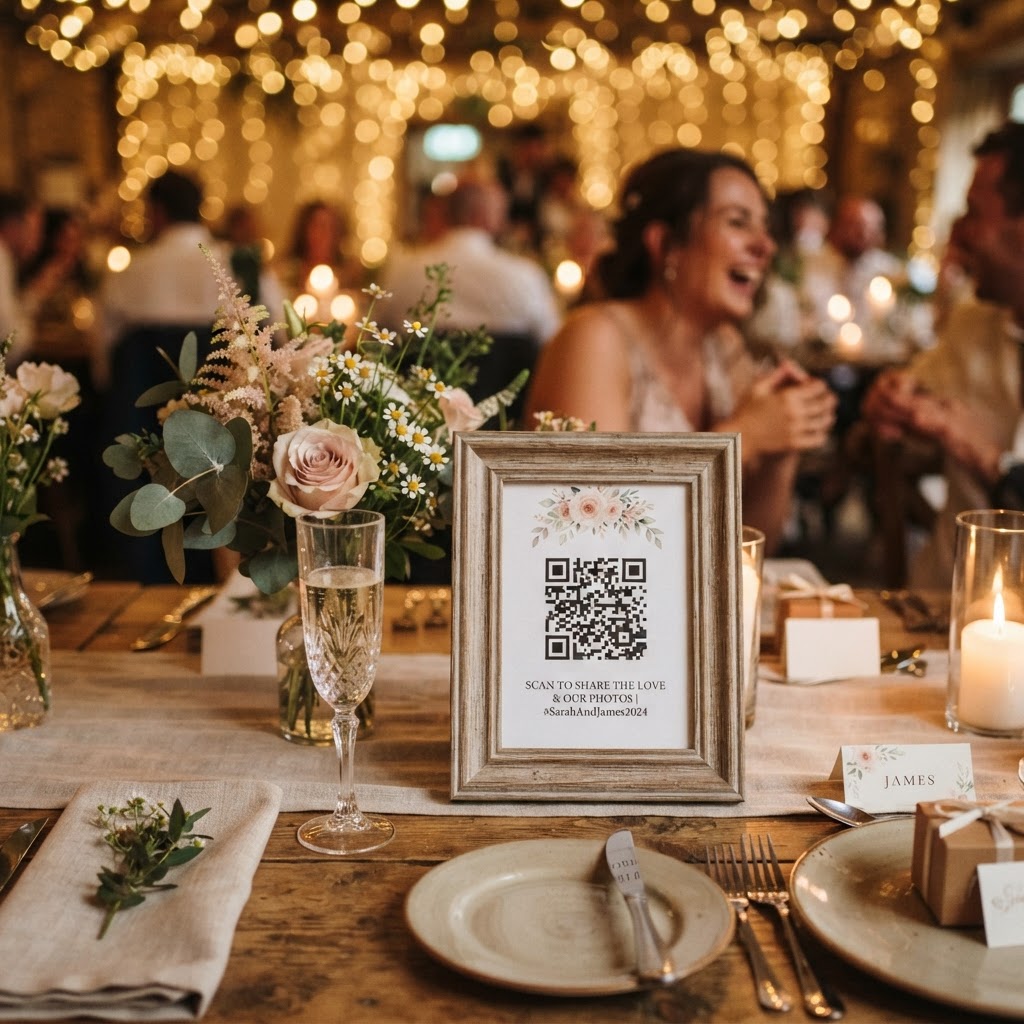
Using a service that allows guests to upload directly via a QR code removes the friction of downloading apps or creating accounts. Guests simply scan, snap, and share. This immediate engagement is the secret to a high volume of quality content. When the process is seamless, guests are far more likely to participate throughout the day, ensuring you get photos from the pre-ceremony jitters to the final song.
Why QR Codes are Your Best Friend
QR codes have become an elegant, unobtrusive addition to wedding stationery. You can place them on table cards, at the bar, or near your guestbook. By using a platform that focuses on no-app-download experiences, you keep the barrier to entry low. It respects your guests' time and storage space while guaranteeing you get the high-resolution files you want to keep forever.
Step 2: Encouraging Engagement During the Event
Even with a great system in place, you need to encourage your guests to document the day. People are often shy about taking photos or unsure if it is 'allowed' at certain moments. Here is how to guide them:
- Create a Photo Challenge: Give your guests a list of specific things to photograph—like 'the cutest couple on the dance floor' or 'the most creative cocktail.' This turns photography into an activity.
- Use Live Slideshows: When guests see their photos appearing on a large screen during the reception, it creates a feedback loop that encourages more participation. Real-time interaction features allow this, turning your event into a collaborative art piece.
- Video Guestbooks: Don't settle for static photos. Encourage guests to record short video messages. These often turn out to be the most cherished mementos of the entire collection.
Step 3: Post-Wedding Curation and Preservation
Once the wedding is over, your digital work begins. Do not just leave the photos in a folder labelled 'Wedding_Final.' Take the time to curate them. If you have used a service that offers a private gallery, you should be able to download your collection in high resolution. From here, you can start the creative process of preservation.
Here are our top tips for post-wedding organisation:
- Categorise by Event Stage: Create folders for the ceremony, cocktail hour, dinner, and reception. This makes navigating the thousands of files much easier.
- The 'Top 100' Selection: Don't try to print every single photo. Select your favourite 100 images and create a physical photo book. This is a far better way to share your day with friends and family than scrolling through a phone gallery.
- Digital Backups: Always follow the 3-2-1 rule of data storage: three copies of your data, on two different media types, with one copy stored off-site. Your cloud gallery is the off-site copy, but ensure you also have a local backup on a hard drive.
Technology as a Guest Experience
Ultimately, technology in weddings shouldn't be about replacing the human element; it should be about enhancing it. By making it easy for guests to contribute to your visual history, you are including them in the narrative of your wedding day. You aren't just an audience watching a couple; you are participants in a shared memory.
Whether you are hosting an intimate garden party or a grand ballroom affair, the quality of your post-wedding archive depends on the ease of collection. Tools like Moment49 demonstrate that modern weddings can be tech-savvy without losing their romantic, organic feel. With entry points starting as low as £20, it is an accessible way to ensure that your favourite moments—from the tearful vows to the questionable dance moves—are preserved for the next fifty years.
As you plan your big day, remember that while the flowers will fade and the cake will be eaten, the photos are the one thing you will revisit time and time again. Invest the effort into your digital organisation now, and your future selves will thank you for it.