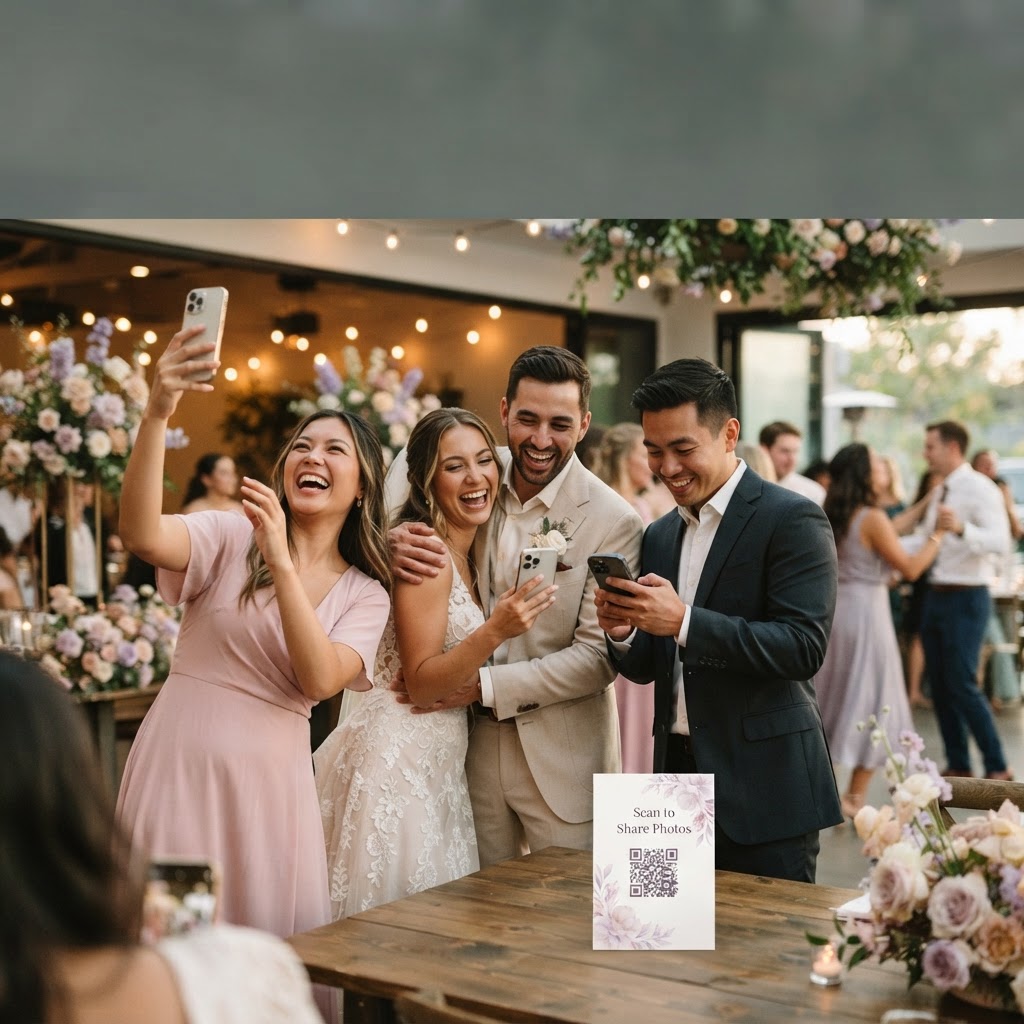
Best Way to Get Wedding Photos From Guests: A Timeline
The best way to get wedding photos from guests is a no-app QR gallery. Get the full timeline from invitation to honeymoon, with copy-paste wording.
Key takeaways
- A QR code that opens a shared gallery in one scan, with no app download and no account, collects far more guest photos than a hashtag or group chat.
- Ask guests four times: with the invitations 8-10 weeks out, at RSVP, through signage and an MC mention on the day, and once within a week after the wedding.
- Place QR codes on invitation inserts, table cards, the bar, bathroom mirrors, and a welcome sign, and run a live slideshow to make uploads spike.
- Send a reminder within 48 hours of the wedding and one nudge during honeymoon week, each under three sentences with the link included directly.
- Moment49 charges £39 one-time per event with a 7-day upload window, covering a live slideshow during the reception and a downloadable gallery afterwards.
The best way to get wedding photos from guests is a QR code that opens a shared gallery in one scan, no app download and no account, promoted before the day and prompted again on tables and in bathrooms. Your guests will take hundreds of photos either way; the difference between seeing them and losing them is making the upload take under ten seconds. This playbook gives you the exact timeline and copy-paste wording for each stage.
What is the best way to get wedding photos from guests?
A QR-code guest camera with no app download and no account, promoted before the day and prompted during it, collects far more guest photos than a hashtag or a group chat ever will. Guests scan, upload, and you watch everything appear in a live slideshow at the reception, then download the full gallery afterwards. Moment49 charges £39 one-time per event with a 7-day upload window, so there is nothing to cancel afterwards (https://moment49.com/HowToGuide).
The reason it works is friction: every extra step (installing an app, creating an account, remembering a hashtag) loses guests. The rest of this guide is a timeline, from invitation wording to the post-honeymoon reminder, with exact wording you can copy at each stage.
When should you start asking guests to share wedding photos?
Ask four times: with the invitations 8-10 weeks out, again at RSVP, on the day through signage, and once more within a week after the wedding. Guests who hear about photo sharing only on the day rarely upload anything, because nobody plans their camera roll in advance and a last-minute QR code competes with champagne, hugs, and a live band.
8-10 weeks out: the invitation insert
Add a small card with your QR code and one line of wording. This gives guests weeks to get used to the idea and lets overseas relatives download nothing in advance. A tool like Moment49 (https://moment49.com/Photobooth) works from a simple scan, so the insert can stay short.
At RSVP: the soft reminder
When RSVPs come back, send a one-line message: "Psst, scan the QR on your invite on the day to share your photos with us." Repetition is what turns awareness into action.
On the day: signage and the MC mention
Put framed QR signs on tables, at the bar, and near the guestbook, and ask your MC to mention it once before the speeches. A live slideshow running during dinner gives guests an immediate reason to upload.
How do QR codes work for collecting guest wedding photos?
A guest scans the QR code with their phone camera, a web page opens, and they upload photos or video messages straight from their camera roll. No app download, no account, no password. You watch everything arrive in a live gallery during the day, then keep the full set afterwards. Moment49 works this way, costs £39 per event as a one-time payment, and you can see the setup at Moment49's digital guestbook.
What guests actually experience
The flow takes under a minute: scan, tap upload, pick photos. Older relatives manage it because there is nothing to install. Most services, including shared albums in Google Photos, cap how much a shared space holds or who can contribute, so check the limits in Google's shared album documentation before committing.
Where to place your QR codes
Put a code on the back of invitations, on each reception table, by the bar, and on a welcome sign at the entrance. Table cards work best because guests photograph the table anyway.
Should you use a hashtag, a group chat, or a shared album?
Comparison criteria
Judge each option on four things: how much friction guests face, whether photos stay private, who can see them, and whether you keep copies afterwards.
| Option | Friction for guests | Privacy | Who sees photos | Do you keep them? |
|---|---|---|---|---|
| WhatsApp group chat | Low, but only if everyone joins the group | Group members only | Everyone in the chat | You scroll and save manually |
| Google Photos shared album | Medium: guests need a Google account and the link | Link holders | Anyone with the link | Yes, in the album |
| Wedding hashtag | None to post, but guests must want to post publicly | Public | All of Instagram | You hunt them down yourself |
| QR-code guest camera | Low: scan and upload, no app, no account | Private gallery | Couple chooses, incl. a live slideshow | Yes, download everything |
A hashtag loses photos whenever a guest has a private account. A group chat mixes your wedding photos with unrelated messages and depends on every guest being added. A shared album works well but stumbles with older relatives who lack Google accounts.
Moment49 (https://moment49.com/AdsLanding) scores well on friction, privacy, and keeping every photo for a one-time £39 per event. It also shows uploads live on screen during the reception, which none of the free options do.
Where QR-code galleries fall short too
Honesty cuts both ways: guests must scan a code on the day, so anyone who never scans never uploads. There is no way to reach them afterwards. A hashtag or shared album still catches stragglers at home, so some couples run both.
What wording should you use on invitations and signage to request photos?
Guests share photos when you tell them exactly how, more than once, in plain words. Put a line on the invitation, a prompt on the RSVP, and signs on the day, all pointing at the same QR code. A group chat works too, but guests who are not already in one will not join on the day, and photo dumps in WhatsApp end up buried in a busy thread rather than in one gallery you can keep.
Invitation and RSVP wording
- Invitation insert: "We'd love to see the day through your eyes. Scan the QR code on the day to add your photos to our shared gallery — no app, no account needed."
- RSVP line: "Got candid shots from the hen do or engagement party? Add them here: [link]."
On-the-day signage wording
- Welcome sign: "Scan to share your photos with us live. Your snaps appear on the big screen tonight."
- Table card: "Snap away tonight — scan this code and your photos join our gallery instantly."
- Bathroom mirror sign: "Mirror, mirror… got a great shot from tonight? Scan the code and send it to the couple before you head home."
MC or celebrant announcement script
"Evening, everyone. The couple would love your photos from today — the ones they'll never see otherwise. Grab your phones, scan the QR code on your table card, and upload. Every photo goes into one private gallery, and you'll see them appear on the screen behind me right now. It takes ten seconds."
The wording that gets uploads shares three traits: it names the moment ("candid shots", "tonight"), it promises zero friction, and it tells guests something happens immediately. That last part matters most — a live slideshow on the big screen turns sharing into part of the night rather than a chore for later. On Moment49's shared gallery the £39 one-time price covers exactly this: a live display during the event and a downloadable gallery afterwards, with the honest caveat that you still have to do the asking, at every stage above.
How do you get guests to share photos during the ceremony and reception?
Guests upload most when the moment is happening. Three things keep phones out and photos coming all day.
The live slideshow effect
Put a screen somewhere visible and show guest photos on a loop as they arrive. Once people spot their own picture up there, uploads spike, because everyone wants theirs to appear next. Moment49 includes this live slideshow, and guests can watch it during drinks reception lulls.
Prompts for each part of the day
Tie signs and announcements to specific moments: "Film a 15-second message for the couple before the speeches", "Capture the first dance from your seat". Vague asks ("share your photos!") get ignored; a concrete prompt tied to what's happening right now gets action. Wedibox reviewers specifically praised dividing uploads by each part of the ceremony, which suggests segmenting the day works well.
Recruit five keen guests
Pick your most enthusiastic friends and ask them directly: "You're our unofficial photographers for the speeches, please post everything." Five reliable people will cover the gaps that shy guests leave, and they'll happily take the job.
How do you remind guests to upload photos after the wedding?
Most guest photos never reach you because people go home, get busy, and forget. Send one message within 48 hours, while the day is still fresh, and one nudge during your honeymoon week. Tools like Wedibox keep an event gallery open after the date, so late uploads still land in one place rather than scattered across camera rolls.
48-hour WhatsApp message: "Hi all! What a day ❤️ If you took any photos or videos, please upload them here before Friday: [link]. Scan or tap, no app needed. We'd love to see everything we missed!"
Honeymoon-week nudge: "Back from an amazing week away! If you haven't uploaded your photos yet, the gallery closes Sunday: [link]. Thank you!"
Keep each message under three sentences and include the link directly, never a promise to "send it later".
How do you handle guests who never share their photos?
Start with personal messages, not group reminders. Message the five people you know took the most photos and ask for their favourites directly: "You were snapping all night at the speeches — could you send a few through the QR link? It only takes a minute." A personal ask gets replies; a group nudge gets ignored.
Accept that some photos are lost. Guests delete, phones break, and a few will never get round to it. Chasing everyone is not worth the stress on your first month of marriage.
Most of this is preventable before the day. Guests upload when scanning a QR code takes ten seconds, needs no app download, and no account. Make sharing effortless at the moment they take the photo, and the follow-up pile shrinks to almost nothing.
FAQ
Do guests need to download an app to share wedding photos?
No. With a QR-code gallery like Moment49, guests scan the code with their phone camera, a web page opens, and they upload straight from their camera roll. No app, no account, no password, which is why older relatives manage it. Every extra step loses guests, so keeping the flow under a minute is the whole point.
How much does it cost to collect guest photos at a wedding?
Moment49 charges £39 one-time per event with a 7-day upload window, so there is nothing to cancel afterwards. Free options exist but have trade-offs: WhatsApp buries photos in a busy thread, hashtags lose private-account posts, and shared albums stumble with guests who lack Google accounts. Check the limits of any free option before committing.
Can guests upload videos and voice messages, not just photos?
Yes. Guests can upload photos and video messages straight from their camera roll, including short clips tied to specific moments, like a 15-second message for the couple before the speeches. Concrete prompts tied to what is happening right now get far more action than a vague "share your photos" request ever will.
What happens if a guest uploads an unflattering photo?
The gallery is private, so nothing appears publicly, and you choose who sees photos, including whether the live slideshow runs at the reception. You also control the final set you download afterwards. If a specific shot bothers you, a personal message to the guest who took it usually resolves it faster than any group reminder.
Is a QR code gallery better than asking guests to email photos?
Yes, because email adds friction at every step: guests must remember your address, attach files, and send from home, and most never get round to it. A QR code takes ten seconds at the moment they take the photo. Email also scatters attachments across your inbox instead of one gallery you can download whole.