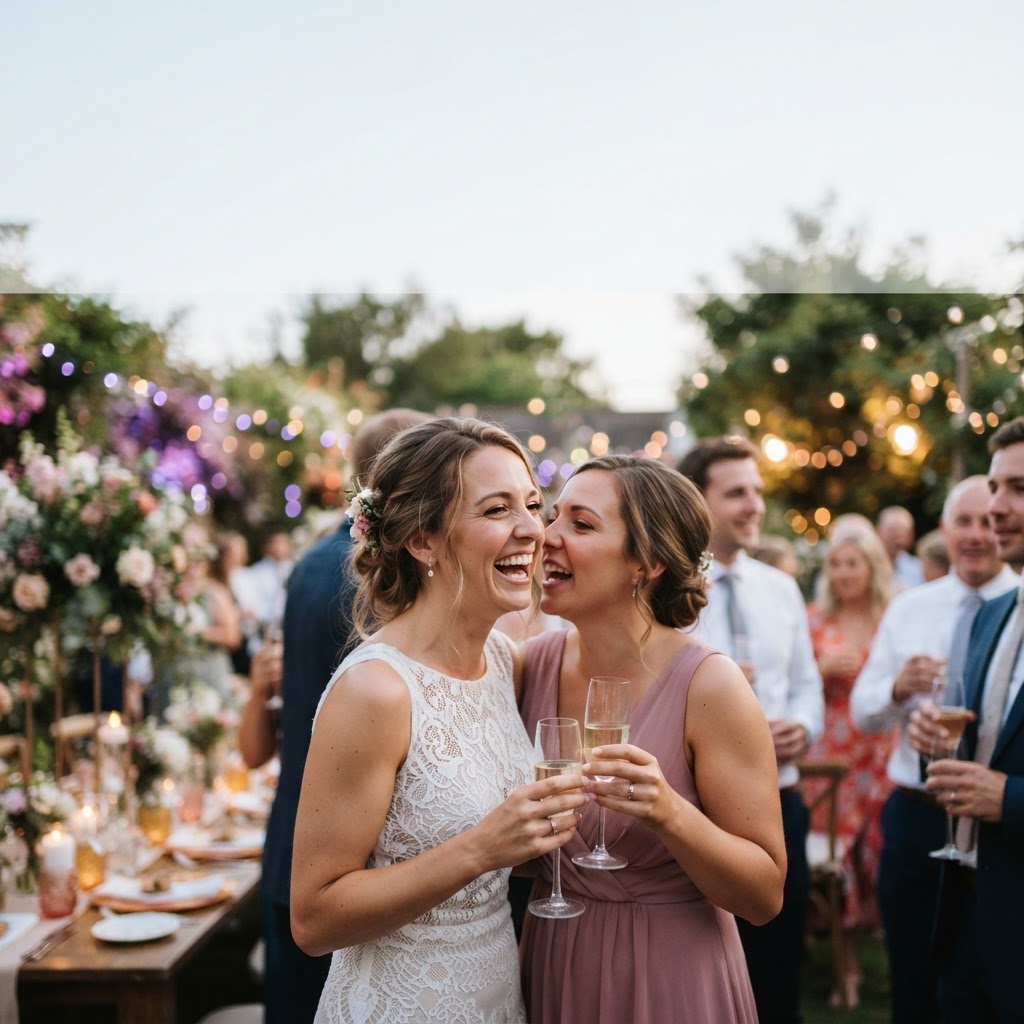
Candid Photos of Wedding Moments, No Second Photographer
Candid photos of wedding days without a second photographer: positions, camera settings, and guest phone tips that capture unguarded moments.
Key takeaways
- Shoot candids from the front corner of the ceremony, three or four rows in, and only move when nobody is walking, reading, or speaking.
- Keep shutter speed at 1/250s or faster for moving subjects and push ISO to 1600-3200 in dim reception rooms rather than letting the shutter drop.
- Plan reception candids around four windows: grand entrance, toasts, cake cutting, and dance floor, each with its own rhythm.
- Guests catch angles the hired photographer cannot, so a QR-code gallery like Moment49 (£39 one-time) collects those phone shots in one place.
- For beach weddings, schedule candids in the hour before sunset and shoot with the wind behind you so faces stay clear.
You get candid photos of wedding days by staying out of the way: pick your position before the moment happens, shoot in burst or shutter-priority mode, and time your shots to the processional, toasts, and dance floor rather than chasing them mid-scene. This guide maps each moment to exact positioning and settings. It also covers what your guests can capture on phones, and how to actually see those photos afterwards.
What makes a wedding photo candid versus posed?
A posed photo is arranged: the photographer tells people where to stand, where to look, and when to smile. A candid photo is taken while nobody is posing at all, capturing your nan laughing during the speeches or your mates mid-dance move. That unguarded quality is why candid photos of wedding days often become the ones couples treasure most.
Candid work rewards readiness over perfection. A moving subject needs a shutter speed of at least 1/250s to stay sharp, and a wider aperture like f/2.8 helps in dim reception rooms, according to Nikon's photography tutorials (Nikon). On a phone, the same instinct applies: keep the camera up, shoot first, and let people carry on.
Your photographer will catch the big candid moments, but guests see angles nobody else does. Tools like Moment49's guest photo gallery collect those phone shots in one place, so the candid moments you never witnessed end up in your hands too.
How do you take candid wedding photos during the ceremony without being intrusive?
The short version: pick your spots before the ceremony starts, move only when everyone else moves, and shoot from the edges rather than the centre.
Where to stand for the processional and vows
Stand at the front corner, about three or four rows of seats in, so you shoot diagonally across the aisle instead of down it. That angle catches the couple's faces as they turn to each other, and it keeps you out of the sightline of the official photographer and the front rows. During the vows, plant yourself and stay there; the best candid shots come from anticipating the kiss, the laugh, the squeezed hand, not from chasing them.
Working the aisle without blocking guests
The rule that makes candid ceremony photos work: never move while anyone is walking, reading, or speaking. Move only during the processional gaps, the hymn, or the moment the celebrant invites people to sit. Crouch rather than stand when you shoot up the aisle, because a crouching photographer disappears into the pews while a standing one becomes the thing everyone remembers. If you are a guest rather than the hired photographer, stay in your seat and shoot quietly from it; the couple will see far more genuine moments from a fixed position than from a wandering one. If you want your guests to do this well, our full walkthrough at https://moment49.com/HowToGuide covers positioning for each part of the day, and a QR-code gallery like Moment49 means those candid guest shots end up in one place instead of scattered across camera rolls.
Which candid moments should you capture at the wedding reception?
Reception candids fall into four windows, and each has a different rhythm. Plan around them rather than shooting at random.
| Moment | What to shoot | Why it works |
|---|---|---|
| Grand entrance | Faces of guests reacting, not the couple | Reactions tell the story |
| Toasts and speeches | The speaker mid-sentence, then cutaways to laughing or crying guests | Emotion peaks here |
| Cake cutting | Hands, the knife, guests leaning in with phones up | Small details age well |
| Dance floor | Silhouettes, hands in the air, motion blur | Energy reads better than sharpness |
Toasts and speeches
Position yourself at the edge of the room, not beside the speaker. Shoot the best man's face while he speaks, then swing to the couple's reactions between sentences. Guests filming vertically on their phones make an honest foreground layer.
The dance floor
Skip flash if the room is dim enough; a slight blur from slow shutter speeds is the point. Wait for group moments rather than singles. If your photographer steps away, a QR-code guest camera like Moment49's photo booth mode keeps the dance floor covered, since guests scan and upload straight from their camera roll with no app download.
Photos of wedding reception details guests miss
Table settings, handwritten place cards, half-eaten cake slices, and coats piled on chairs are the candids nobody poses for. Shoot them before the room fills and again at the end. If your reception runs into early evening, aim detail shots during golden hour: in the UK that window lasts roughly an hour before sunset, per timeanddate.com's sun calculator.
What camera settings work best for candid photography at wedding photos?
Candid photos of wedding moments fail most often because the shutter is too slow. Start from shutter speed, then let aperture and ISO follow. On a phone, tap to focus and drag the exposure slider down slightly so highlights on white dresses survive.
Settings for dim reception rooms
Reception lighting is the hardest part. Use a fast prime lens if you have one, wide open at f/1.8 or f/2, and keep shutter speed at 1/125s or faster to freeze dancing. Push ISO to 1600-3200 rather than letting the shutter drop; modern cameras handle that noise far better than blur. On a phone, avoid the built-in flash and instead step closer to window light or the dance floor spotlights.
Settings for fast movement
For walking down the aisle, first dances, and confetti throws, use shutter priority at 1/250s minimum, 1/500s if guests are moving quickly. Continuous autofocus (AF-C on Nikon and Sony, AI Servo on Canon) tracks a moving subject better than single-shot focus. Burst mode helps: three or four frames per moment, and you pick the one where nobody is mid-blink.
If guests are shooting your candid moments, they will not touch any of these settings, which is why a shared QR-code gallery like Moment49 (one-time £39 per event, see https://moment49.com/Pricing) captures what your hired camera work misses.
How do lighting and wind affect candid beach wedding photos?
Golden hour timing
The hour after sunrise and the hour before sunset give the warmest, softest light of the day, so check sunset time for your venue and schedule couple portraits and group candids around it. Midday sun overhead creates harsh shadows under eyes and chins; if your ceremony is at noon, shoot candids with the sun behind guests rather than in front of them, so faces stay even and squinting disappears. Backlit photos, where the sun sits behind your subjects, also flatter hair and veils on the beach.
Dealing with wind and glare
Wind is the bigger practical problem. Hold hair, veils and napkins out of frame, shoot with the wind behind you so guests' faces stay clear, and embrace movement: a dress catching the breeze often makes the most natural photo of the day. Glare off sand and water is strong, so tap to expose on your phone and lock focus before shooting; Apple's own guidance recommends tapping the viewfinder to set focus and exposure and holding to lock it (Apple iPhone photography support). If guests are capturing your beach day through Moment49's QR code camera, remind them in the morning to shoot with the sun behind them and to wipe sand and salt spray off their lens.
How can guests take natural candid wedding photos on a phone?
Simple phone habits that beat zooming
Hold the phone at chest height and shoot from slightly off to the side, so you catch people laughing rather than posing. Skip the zoom: pinch-zooming degrades the image, so walk a few steps closer instead. Tap the screen on a face to lock focus and exposure before you shoot, and take two or three quick frames in a row because one will land. Burst mode is ideal for the confetti throw and the first dance spin.
Getting guest photos into one place
The problem with hundreds of candid photos on guests' camera rolls is that most never reach the couple. A QR code guest camera fixes that: guests scan, upload, and download nothing themselves, with no app and no account. Moment49 shows uploads in a live slideshow during the reception and hands you the full gallery afterwards for a one-time £39 per event, so the candid moments your photographer misses end up in the same place.
How do you make subjects forget the camera is there?
Anticipation beats reaction. Watch for the moment before it happens: the speech pause, the hug at the end of the aisle, the laugh building. Raise the camera early, shoot the peak, and lower it before anyone notices you were pointing at them.
Burst mode is your friend. On an iPhone, hold the shutter and slide left; on Android, long-press the shutter. Three or four frames in a row means at least one catches a natural expression instead of a "someone's watching me" smile.
Distance helps too. Step back and zoom in rather than standing two feet away, and keep the phone at chest height instead of up at your eye. If you're a guest, the easiest trick is to look busy doing something else: check the QR code for the couple's guest photo gallery, take a few photos of the room, then catch the real moment while nobody is posing.
Should you hire a photographer or rely on guests for candid wedding photos?
A professional photographer gives you skilled coverage of the key moments: the vows, the first kiss, the speeches. What they cannot be is everywhere. Hundreds of guest photos happen when you are on the other side of the room, and most of those never reach your camera roll unless you plan for it.
Comparing the options honestly
Run both through the same three tests: coverage, cost, and what you actually receive afterwards.
Coverage: a photographer is one person with one viewpoint. Guests are dozens of phones spread across the whole day, catching candid moments the hired camera misses. Cost: professional coverage runs into the thousands in the UK; guest photo sharing costs little or nothing. Delivery: a photographer hands over an edited gallery weeks later, while a WhatsApp group chat photo dump arrives as a chaotic scroll.
This is where Moment49 fits alongside, not instead of, your photographer. Guests scan a QR code, upload photos and video messages with no app download and no account, and you watch a live slideshow during the reception. It is £39 one-time per event, and you download everything afterwards. For the price of one reception centrepiece, you keep the candids your photographer was never in the room to take.
FAQ
How many candid photos should I expect from a typical wedding?
A professional photographer typically delivers several hundred edited images covering the whole day, but the candid moments they were never in the room for exist only on guests' phones. Dozens of guests each taking a handful of shots adds hundreds more, most of which never reach you unless you set up a shared gallery before the day.
Can I ask guests not to take photos during the ceremony?
You can, and many couples do with an "unplugged ceremony" sign or a word from the celebrant. The compromise that works well: keep phones away during the vows and first kiss, then invite guests to shoot freely from their seats for the rest of the day. Guests shooting quietly from a fixed position catch more genuine moments than wandering ones.
What is the best time of day for candid beach wedding photos?
The hour before sunset gives the warmest, softest light, so schedule couple portraits and group candids there. Midday sun creates harsh shadows and squinting; if your ceremony is at noon, shoot with the sun behind guests so faces stay even. Backlighting also flatters hair and veils on the beach.
Do guests need to download an app to share their photos?
No. With a QR-code guest camera like Moment49, guests scan the code, upload photos and video messages, and download nothing themselves. There is no app and no account to create. You watch uploads appear in a live slideshow during the reception and download the full gallery afterwards for a one-time £39 per event.