Digital Guestbook Wedding: Best Apps Compared
Compare digital guestbook wedding apps by QR upload, live slideshow, moderation and price, including Moment49 at £39 per event with no app download.
Key takeaways
- A QR-code digital guestbook lets wedding guests upload photos, videos and messages with no app download and no account.
- Moment49 costs a one-time £39 per event and keeps the upload window open for 7 days after the day.
- Lock a guestbook iPad kiosk in about a minute using Apple's free Guided Access feature.
- Pair a locked iPad with QR signs on every table so phones do the photographing and the screen runs the live slideshow.
- Free options like Google Photos shared albums work but lack a live slideshow and pre-display moderation.
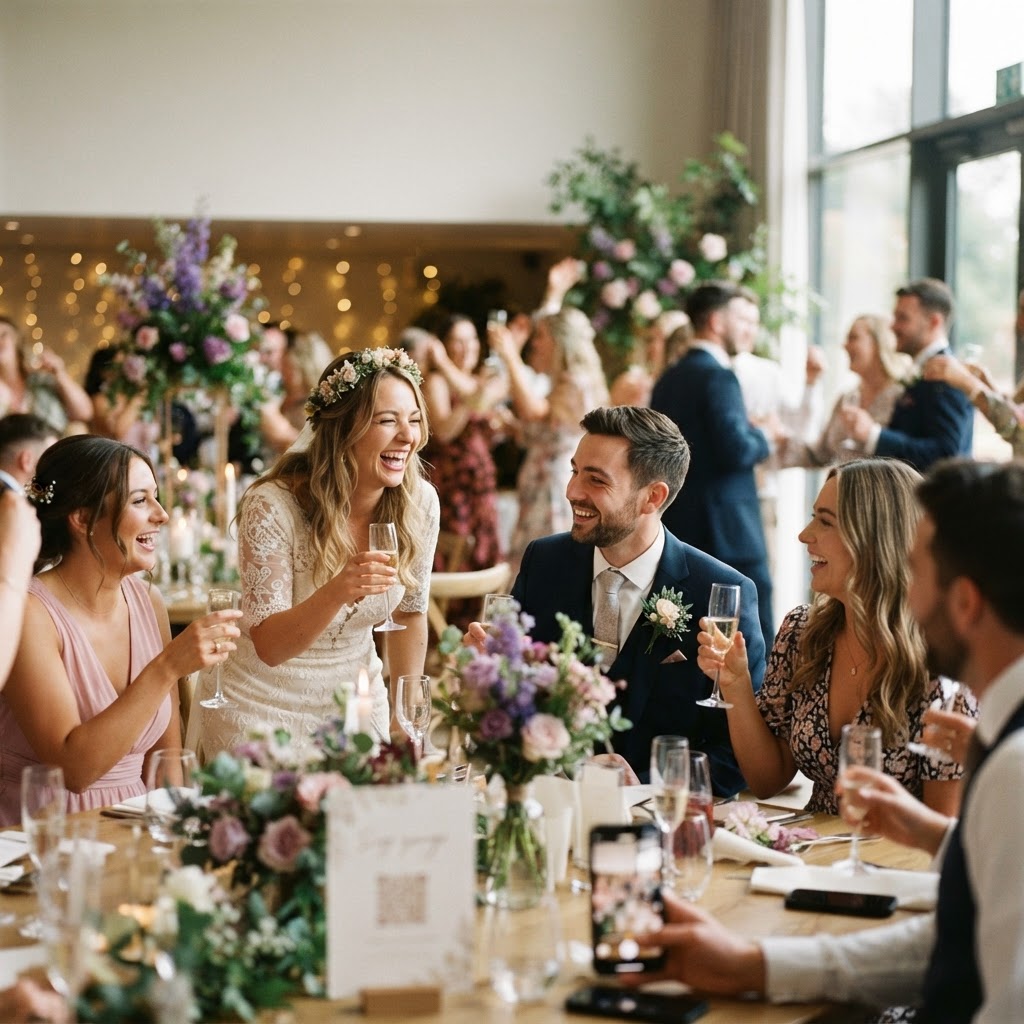
A digital guestbook wedding setup lets guests scan a QR code and upload photos, videos, and messages straight from their phones, with no app download or account, then shows them on a live slideshow during the day. This guide compares the best options across weddings, Airbnb stays, and business events, covering iPad kiosk setup, free-tier limits, and pricing, including an honest look at Moment49 at £39 per event.
What is a digital guestbook wedding setup?
A digital guestbook wedding setup lets guests scan a QR code on their phone, then upload photos, video messages and written notes with no app download and no account. Everything lands in one private gallery for the couple, shown as a live slideshow during the reception and kept afterwards. Moment49 charges £39 per event as a one-time payment, with a 7-day window for guests to upload.
How it differs from a paper guestbook and a shared camera roll
A paper guestbook captures a few dozen signatures and no photos. A shared album like Google Photos asks every guest to install an app or accept an invite, and most never bother. A QR-code guestbook removes both steps: scan, upload, done, so you collect the candid moments from your camera roll that would otherwise stay in the group chat.
Which is the best digital guestbook app for a wedding?
Most couples are choosing between six realistic options: Moment49, Wedibox, GuestPix, Kululu, a Google Photos shared album, or the group chat photo dump that happens anyway. The criteria that actually matter on the day are simple: can guests scan a QR code and upload without downloading an app or creating an account, can you show a live slideshow on a screen, can guests leave video messages, can you hide anything unflattering before it hits the big screen, and does it cost one clear price.
| QR scan & upload | No app download | Live slideshow | Video messages | Moderation | Pricing | |
|---|---|---|---|---|---|---|
| Moment49 | Yes | Yes | Yes | Yes | Yes | One-time per event |
| Wedibox | Yes | Yes | Yes | Yes | Yes | Check site |
| GuestPix | Yes | Yes | Yes | Yes | Yes | Check site |
| Kululu | Yes | Yes | Yes | Yes | Yes | Check site |
| Google Photos album | Partial | Partial | No | No | Basic | Free |
| WhatsApp group | No | No | No | Voice notes only | None | Free |
Moment49 judged by the same criteria
Moment49 (https://moment49.com/AdsLanding) is built for exactly this moment in your planning: guests scan a QR code, upload photos and video messages with no app and no account, and everything lands in one private gallery you can show live during the reception and keep afterwards. It runs a photo booth mode, and uploads can be reviewed before they appear on screen, so nothing awkward flashes up mid-first-dance. Pricing is a one-time £39 per event, which you pay once and never think about again. The honest trade-off: it is purpose-built for a single event, so if you want a tool you will reuse across many gatherings, that is not its shape.
Wedibox, GuestPix and Kululu at a glance
Wedibox covers the same core loop of QR scan-and-upload, live display and video messages, and reviews from couples on The Knot praise it as simple and cost effective. GuestPix and Kululu are comparable paid options in the same category; compare their per-event prices and slideshow features directly against your budget before committing.
Free options: Google Photos and WhatsApp
A Google Photos shared album is free and reliable, but guests need the app and there is no live slideshow or moderation before display. A WhatsApp group costs nothing and everyone is already in it, but photos scatter across dozens of threads and you will spend weeks after the wedding chasing people for their camera rolls.
What does a digital guestbook for wedding use cost?
Most guest photo tools charge either a one-time per-event fee or a recurring plan, and for a single wedding the one-time route is almost always cheaper. Moment49 is £39 per event (about $53 US or €47 EU), paid once, with a 7-day window for guests to scan the QR code and upload. There is no app download and no account for guests to create. You can check the current figures on Moment49's pricing page.
For comparison, Wedibox also works by QR upload with no app download, so the differences between tools come down to price, upload window, and features like the live slideshow.
What to check before you pay
Confirm three things: whether the price covers video messages as well as photos, how long guests can upload after the day, and whether you can download everything afterwards. A tool that looks cheap but charges per photo or expires quickly costs more than it first appears.
Can the same app work as a digital guestbook for Airbnb?
Yes, with one adjustment: a wedding tool built around a single day needs a standing QR code and a fresh start for each stay. Print the code once, keep it on the fridge or in the welcome folder, and every new guest scans and uploads without downloading an app or creating an account.
What breaks when the event never ends
A rolling stay has no fixed finish, so you need control over when each batch of guest photos and notes starts and ends. On Moment49 you can reset the gallery between bookings from https://moment49.com/Settings, so one group's candid moments never bleed into the next. Treat it as a digital guestbook plus a review-style feedback channel: ask guests to leave a video message about their favourite spot in the house guide. What changes most is the live slideshow, which suits a reception screen rather than a quiet let, so most hosts simply skip it and collect photos quietly instead.
Do you need a digital guestbook for business and community events?
The same criteria apply: guests scan a QR code, upload without an app or account, and everyone sees the photos on a screen as they arrive. Birthdays, christenings and school fairs work much like weddings, and a one-time per-event charge such as Moment49's £39 makes sense when you will only run the event once.
Moderation when the room is not all friends
At a conference or community event you cannot assume every guest knows the host, so check how each tool handles review before photos hit the live screen. GuestPix lists moderation and live display among its features on its product page (GuestPix features and pricing). For one-off parties, Moment49 covers the basics with its own photo booth mode; for repeat corporate use, compare multi-event reuse before committing.
How do you set up a digital guestbook iPad kiosk?
A kiosk is one iPad, locked to a single app, sitting somewhere guests can reach it in ten seconds. The lock is the part couples worry about most, and it takes about a minute with a free Apple feature.
Guided Access in five steps
- Open Settings, then Accessibility, then Guided Access, and switch it on.
- Set a passcode you will remember, because you need it to exit.
- Open the guestbook app you want locked.
- Triple-click the side (or home) button to start Guided Access on that app.
- Triple-click again and enter the passcode when the reception ends.
The iPad now shows only that app. Guests cannot browse, message, or wander into your camera roll.
Where to put the kiosk and the QR signs
Put the kiosk on a high table near the drinks, not in the corner by the bins. Guests queue naturally at a bar, so a screen beside it gets seen without any announcement. Angle it slightly upward and keep it out of direct window light, which washes out a live slideshow. The kiosk is the backup, not the main camera. Print two or three QR-code signs and stand them on the tables and by the entrance, so guests scan with their own phones and upload straight from their camera roll with no app download and no account. One long paragraph worth keeping in mind: a kiosk alone means one queue and one busy screen for a hundred and twenty guests, but pairing the locked iPad with a QR code on every table splits the job, the phones do the photographing, and the iPad becomes a live slideshow that shows every candid moment the moment it lands.
How does a live slideshow and photo booth mode work on the day?
Guests scan the QR code on the table card, upload photos and video messages straight from their camera roll, and everything lands in one private gallery. No app download and no account for them to create. As uploads arrive, they appear on the big screen as a live slideshow, so the room sees candid moments within seconds of them being taken.
Running the live screen without a dedicated operator
Set the iPad or laptop to the slideshow view, plug it into the venue's screen, and leave it. There is nothing to moderate in real time, and the gallery is private to your event. Kululu offers a similar live-display flow for events, with pricing listed on its product page (Kululu).
For posed shots, photo booth mode turns the same device into a self-serve booth: guests tap, take a burst of photos, and the results join the gallery and slideshow automatically.
After the day, uploads stay open for a 7-day window so late senders can add their shots. You then download the full gallery and keep it, with the one-time £39 per-event price covering the lot.
How do you get guest photos out of the group chat afterwards?
The WhatsApp photo dump fails in three predictable ways. Guests forget to send anything once the day is over, the chat scrolls past the good shots within hours, and anything that does get shared arrives compressed. A Google Photos shared album does better on quality, but it still relies on every guest joining, uploading, and remembering an album link weeks later.
A dedicated gallery flips the timing. With Moment49, guests scan a QR code on the day, upload there and then, and everything lands in one private gallery you can download afterwards. No chasing, no app download, no account for guests to create. The candid moments are captured when they happen, not reconstructed from a group chat afterwards.
FAQ
Do guests need to download an app or create an account to use a digital guestbook?
No. With a QR-code guestbook, guests scan the code and upload photos, videos, and notes straight from their phone browser. No app installation, no sign-up, no password to forget. That matters because every extra step loses guests: shared albums requiring an app invite typically collect only a fraction of the photos actually taken on the day.
How long do guests have to upload their photos after the wedding?
Moment49 keeps the upload window open for 7 days after the event, so anyone who took shots on a separate camera, or got distracted by the dance floor, can still add them. You then download the complete gallery and keep it. Check the upload window before paying, since some tools expire within 24 hours.
Can I try a digital guestbook free before paying?
Free options exist but come with trade-offs. A Google Photos shared album costs nothing and works reliably, yet guests need the app and there is no live slideshow or review before display. A WhatsApp group is free but scatters photos across threads. Paid tools like Moment49 charge a one-time £39 per event rather than offering a trial tier.
Does a digital guestbook work offline or with poor venue wifi?
Uploads need an internet connection, so venue wifi quality matters. The practical fix is placement and redundancy: put QR signs where the signal is strongest, ask the venue for the network password in advance, and use the iPad kiosk as a backup capture point. Photos taken on guests' phones stay safe in their camera rolls, so nothing is lost if an upload fails.
Can I reuse one digital guestbook purchase for my hen do and the wedding?
Moment49's pricing is one-time per event, so a hen do and the wedding count as two separate purchases at £39 each. Each event gets its own private gallery, its own QR code, and its own 7-day upload window, so nothing from the hen do bleeds into the wedding slideshow. Compare multi-event tools if you want one purchase to cover many events.